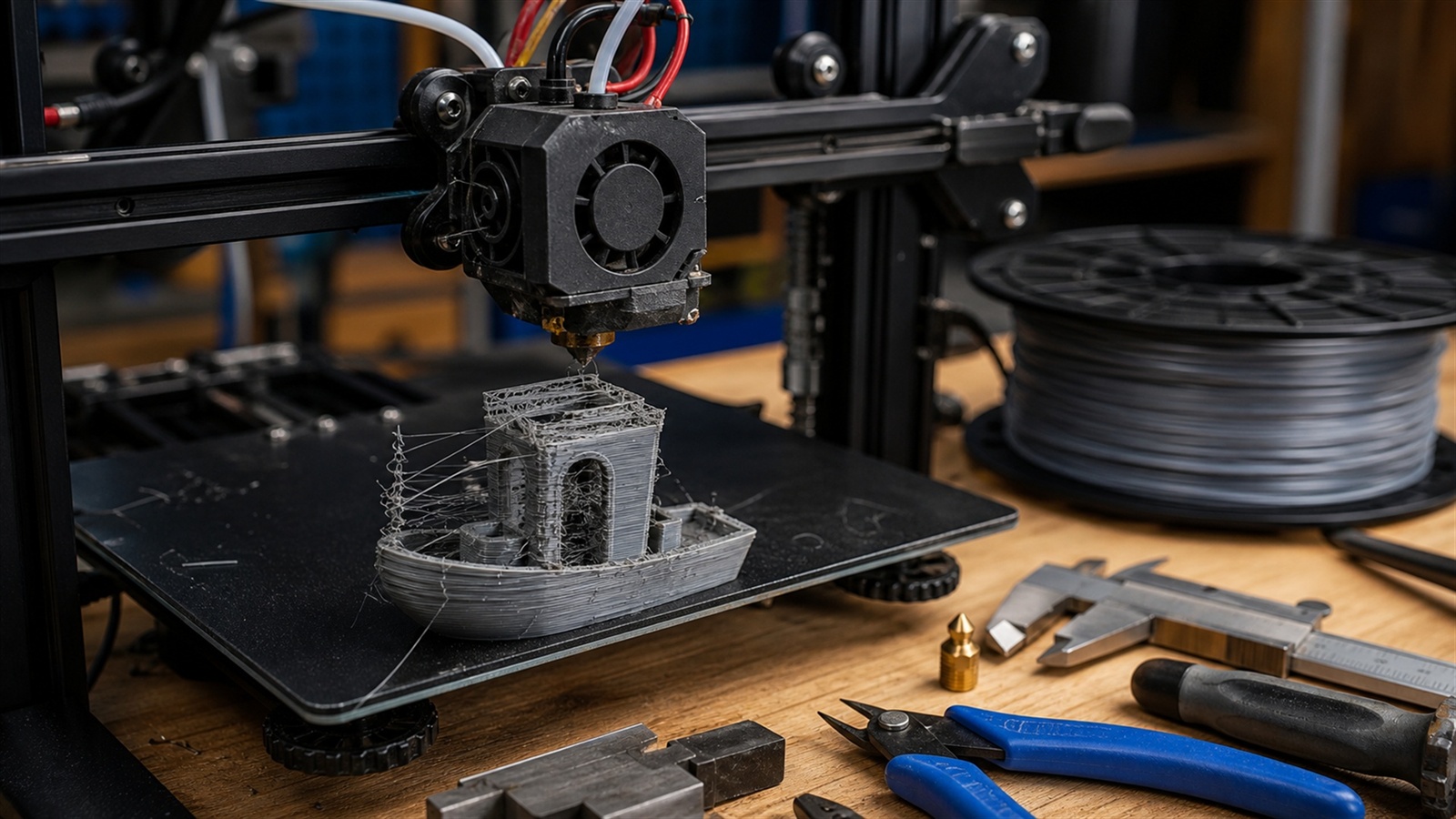
Most Failed Prints Are Trying to Tell You Something
FDM 3D printing can feel personal when a job fails. You prepared the model, waited for the bed to heat, watched the first lines go down, and returned later to a warped corner, a loose spaghetti nest, or a part that looks strong but snaps in your hand. The good news is that common FDM mistakes are rarely random. They are symptoms. Once you learn what each symptom means, troubleshooting becomes less like guessing and more like listening to a machine with a very specific vocabulary.
A: Check first-layer height, bed cleanliness, bed temperature, material choice, and drafts.
A: Usually excess nozzle ooze from heat, retraction settings, travel paths, or wet filament.
A: Sometimes, but wall count, orientation, material, and layer bonding often matter more.
A: Look for belt tension, pulley screws, axis binding, collisions, or aggressive acceleration.
A: Control cooling with bed heat, enclosure, brim, draft protection, and better part geometry.
A: Tune flow, increase top layers, improve cooling, or slow top-surface printing.
A: It is a bottom-edge bulge caused by heat, pressure, or nozzle height issues.
A: The path may be blocked, the nozzle too cold, the speed too high, or the tension wrong.
A: No, better orientation, interface settings, and support style can reduce marks.
A: Change one variable, print a small test, and keep notes.
The First Layer Is the Negotiation
The first layer is where the printer and build plate agree on the print. If the nozzle is too high, the filament lands as round strings with poor grip. If it is too low, the plastic is smeared thin, the extruder may click, and detail can be crushed. A good first layer looks slightly flattened, continuous, and confident. It should bond to the bed without being gouged into it.
Fixing first-layer problems usually starts with bed leveling or mesh calibration, then moves to nozzle height, bed cleanliness, and initial layer speed. A clean plate matters more than beginners expect. Finger oils, dust, and old adhesive can ruin adhesion. Slow the first layer, verify the bed temperature for the material, and resist the urge to solve everything with more glue. Adhesion aids can help, but they should support a sound setup, not hide a bad one.
Warping Comes From Uneven Cooling
Warping happens when plastic shrinks as it cools and pulls against itself. Corners lift, long edges bow, and the part loses dimensional accuracy. PLA can warp, but ABS, ASA, nylon, and other higher-temperature materials are more prone to it. The print is not being stubborn; it is responding to temperature differences across the part and the build environment.
To reduce warping, control cooling. Use the correct bed temperature, avoid drafts, add an enclosure for materials that need it, and consider a brim for parts with sharp corners or small bed contact. Rounded corners can help because they reduce stress concentration. If a part must be large and flat, design and orientation matter. Sometimes the best fix is not a setting but a geometry change that gives the material room to behave.
Stringing Is Usually Heat, Retraction, or Moisture
Stringing creates fine hairs between separate features, making a print look messy even when the shape is correct. It often means melted filament is leaking from the nozzle during travel moves. Temperature that is too high, retraction that is too short or slow, travel moves that cross open space, and wet filament can all contribute.
Start with a temperature tower and retraction test rather than changing five settings at once. Lowering nozzle temperature can reduce ooze, but going too low weakens layer bonding. Retraction distance and speed depend on the extruder style, hotend, and filament. Drying filament can make a dramatic difference with PETG, nylon, TPU, and old PLA. The best stringing fix is usually a balanced combination, not a single heroic setting.
Clogs and Under-Extrusion Need Patient Diagnosis
Under-extrusion appears as thin walls, gaps in top surfaces, weak layers, or a rough starved texture. A clog is one cause, but not the only one. The filament path may be restricted, the nozzle may be worn, the extruder gear may be grinding, the temperature may be too low, or the spool may be tangled.
Check the simple mechanical causes first. Make sure filament feeds freely, the extruder gear is clean, and the spool is not snagging. Then inspect the nozzle and hotend. Cold pulls, nozzle replacement, or hotend cleaning may be needed. If under-extrusion appears only at higher speeds, the printer may be outrunning the hotend capacity. Slowing down or increasing temperature slightly can restore flow, but major changes should be tested carefully.
Layer Shifts Are Mechanical Warnings
A layer shift turns a straight print into a stepped object, as if the model suddenly moved sideways mid-job. This usually points to skipped steps, loose belts, pulley issues, collisions, or acceleration settings that are too aggressive. It can also happen when curled edges or failed supports catch the nozzle.
Inspect belts for proper tension, check pulley set screws, and make sure axes move smoothly without binding. Reduce acceleration or jerk if the printer is moving violently. Watch for warping that raises part edges into the nozzle path. Layer shifts are worth addressing quickly because they indicate the motion system is losing position. A printer that cannot trust its own coordinates cannot make accurate parts.
Elephant Foot Is a Heat and Pressure Problem
Elephant foot is the slightly squashed bulge at the bottom of a print. It can make parts look sloppy and prevent assemblies from fitting. The usual causes are a nozzle too close to the bed, a bed that is too hot, excessive first-layer flow, or the weight of early layers compressing softened plastic.
Raise the nozzle offset slightly, tune first-layer flow, and check bed temperature. Many slicers include elephant foot compensation, which trims the outer edge of initial layers. For precision parts, add a small chamfer to the bottom edges in the model. That design trick gives the first layer room to spread without changing the functional dimension of the part.
Weak Parts Often Begin in the Slicer
A part can look finished but fail under load because the walls are too thin, the print orientation is poor, the material is wrong, or the layer bonding is weak. Beginners sometimes increase infill first, but walls and perimeters often carry more real strength than infill percentage.
Use more wall lines for functional parts, choose an orientation that puts layer lines away from the main stress, and select a material suited to the job. Increase temperature within safe limits if layer adhesion is poor, but avoid overheating. For brackets, clips, hinges, and load-bearing parts, design features like fillets, ribs, and thicker bosses can matter more than simply printing everything solid.
Supports Fail When They Are Treated as Afterthoughts
Supports are temporary scaffolding, but they influence the visible surface, print time, material use, and failure risk. Too little support leads to drooping overhangs. Too much support scars the surface and wastes material. Bad support contact settings can make removal either impossible or useless.
Rotate the part before accepting automatic supports. A better orientation can reduce support needs dramatically. Tune support interface layers for cleaner undersides and adjust support density according to the job. For delicate models, tree-style supports may reach difficult areas with less contact. For mechanical parts, splitting the model into printable sections can be cleaner than forcing supports into every cavity.
Bad Dimensions Are Not Always Bad Printers
When parts do not fit, the printer is often blamed immediately. Sometimes that is fair, but dimensional problems can also come from material shrinkage, elephant foot, over-extrusion, loose motion components, slicer line width, or a design with no tolerance. A peg modeled at exactly the same size as a hole will usually not fit after printing.
Calibrate steps only when there is evidence the motion system is wrong. More often, tune flow, check first-layer expansion, and design clearance intentionally. Print small test coupons before committing to a large assembly. For sliding fits, press fits, and screw holes, treat tolerance as part of the design. FDM is capable, but it is not a magic copier of ideal geometry.
A Calm Troubleshooting Routine
The best troubleshooting habit is changing one variable at a time. Print small tests, label results, and keep a simple log of material, temperature, speed, cooling, and observations. When you change everything at once, you may get a better print without knowing why, which means the lesson disappears.
FDM printing rewards patience. A failed print is not wasted if it tells you something specific. Look at the first layer, the corners, the walls, the top surface, and the fracture point if it breaks. The machine is leaving evidence in plastic. Read that evidence, make one thoughtful change, and the next print will usually move closer to the object you meant to make.
When Filament Is the Hidden Suspect
Filament can create problems even when the printer is tuned well. Old filament may absorb moisture, brittle filament may snap in the feed path, and poorly wound spools can tug against the extruder until flow becomes inconsistent. Even two colors from the same brand can behave differently because pigments change heat absorption and flow. When a familiar profile suddenly performs badly, do not assume the printer forgot how to print. The material may have changed.
A practical fix is to isolate the filament from the rest of the system. Try a known good spool, dry a moisture-sensitive material, and inspect the strand for diameter swings, dust, or grinding marks. Store filament in sealed containers with desiccant when possible. FDM printing is a chain of dependencies, and the spool is the first link. If it feeds poorly, every setting downstream has to fight the problem.
Speed Can Hide Inside Many Failures
Fast printing is tempting, but speed affects nearly every part of the process. The hotend must melt enough plastic, the extruder must push it consistently, the frame must stay stable, and the cooling system must manage the newly placed material. When speed is too high, defects may appear as ringing, weak walls, rough corners, under-extrusion, poor bridges, or noisy motion. The print may not look like it has one speed problem; it may look like five unrelated problems.
Slow diagnostic prints are useful because they remove pressure from the system. If a part improves dramatically at a lower speed, the machine is telling you that flow, cooling, acceleration, or mechanical stiffness was near its limit. After that, speed can be raised carefully. The goal is not to print everything slowly forever. The goal is to discover the fastest speed that still produces the strength, finish, and accuracy the part actually needs.
Maintenance Is Part of Print Quality
FDM printers are motion machines, and motion machines need attention. Belts stretch, wheels wear, rods collect dust, screws loosen, fans weaken, nozzles erode, and build surfaces age. A printer can drift out of reliability one small change at a time until failures seem mysterious. Regular maintenance turns those mysteries back into ordinary mechanical tasks.
Check the printer before blaming the slicer. Make sure the frame is square, the hotend is secure, the bed is stable, the fans spin freely, and the nozzle is appropriate for the material. Clean the extruder gear. Look for wobble in the carriage. Replace worn consumables before they ruin important jobs. Good maintenance is not glamorous, but it gives slicer tuning a stable foundation. Without that foundation, settings become guesses.
Knowing When to Redesign the Part
Some FDM problems cannot be solved cleanly with settings because the model itself is asking too much from the process. A long unsupported bridge, a razor-thin clip, a sharp internal corner, or a tall narrow tower may print poorly no matter how many profiles you try. In those moments, the best troubleshooting move is design revision.
Add fillets to reduce stress, split a difficult object into printable sections, thicken fragile walls, change orientation, or replace an impossible overhang with a shape that supports itself. This is not admitting defeat. It is designing with the manufacturing method in mind. FDM rewards parts that cooperate with layers, cooling, and gravity. Once the model respects those forces, the printer has a much easier job.
