Stepping Into the World of FDM
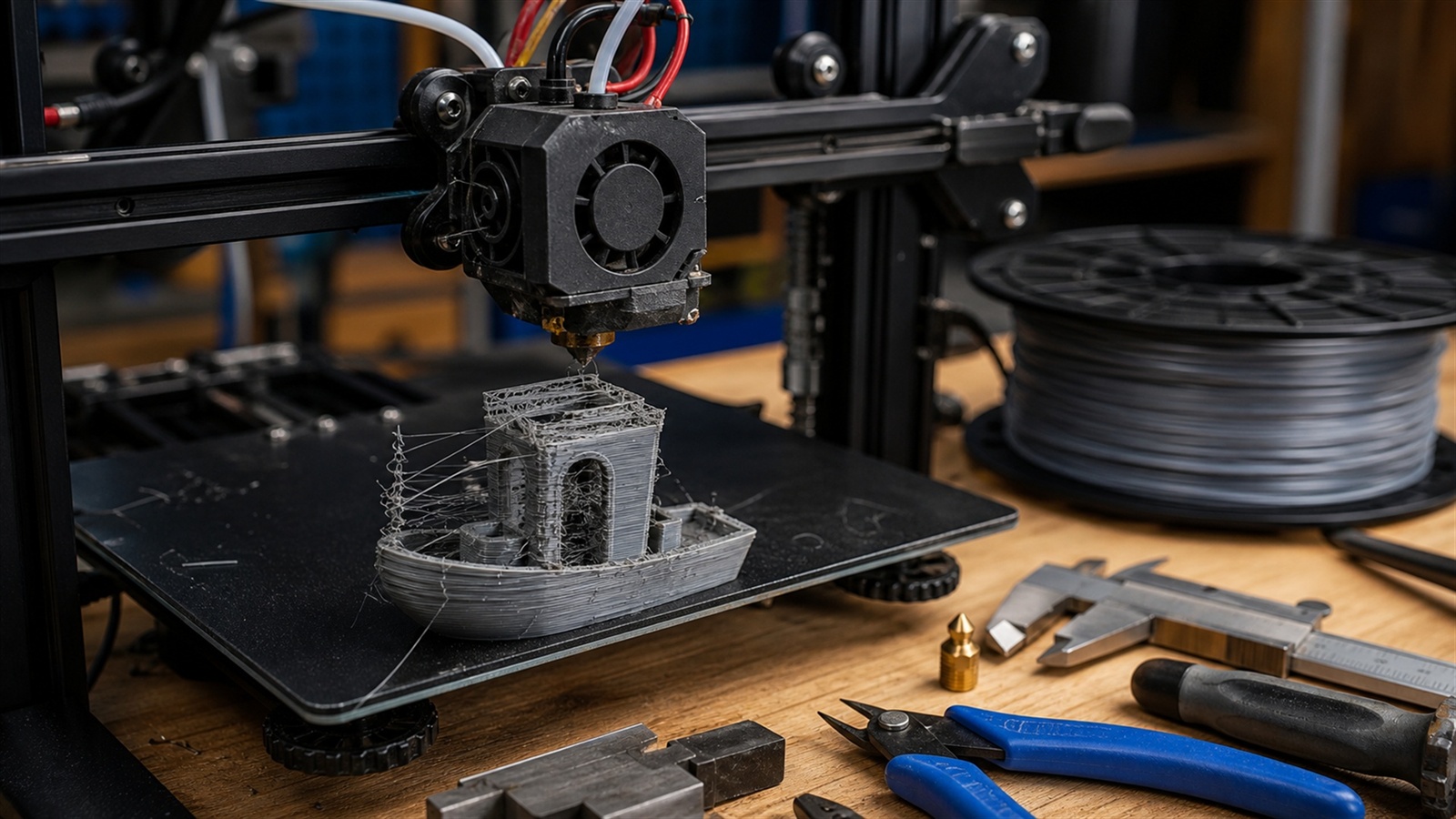
Fused Deposition Modeling, often called FDM, has become the heart of modern at-home 3D printing. What once required industrial machines and specialized manufacturing labs can now be explored on a desk, in a garage, or in a workshop. Millions of makers, designers, engineers, artists, educators, and hobbyists choose FDM because it offers an accessible, affordable, and incredibly customizable entry point into digital fabrication. A spool of filament, a few lines of G-code, and a simple mechanical machine are all it takes to turn imagination into physical reality. Yet while FDM is beginner-friendly, it is also deeper than it appears. Beneath the hum of motors and the rhythm of layers forming lies an elegant fusion of physics, material science, engineering design, and creative expression. Understanding how these elements work together unlocks better prints, fewer failures, and limitless possibilities. This guide explores the entire landscape of the FDM experience—from hardware and materials to slicing, calibration, maintenance, and print strategy—giving beginners a comprehensive and empowering head start.
A: Match the model, material, settings, and finish plan to the purpose of the print.
A: Bed leveling, surface cleanliness, nozzle height, temperature, and material condition are the usual suspects.
A: No. Slower speeds can improve detail, but heat buildup and profile balance still matter.
A: Use the right material, more walls, smart orientation, enough infill, and realistic load testing.
A: Temperature, retraction, travel moves, moisture, and material type all contribute.
A: Diagnose thin walls, unsupported features, tight fits, bad meshes, and weak load paths before buying parts.
A: Very important; it shows toolpaths, supports, layer changes, and possible weak spots before printing.
A: First layers, simple calibration prints, support cleanup, and basic material profiles.
A: Clean orientation, tuned settings, good material handling, and careful test fits, inserts, sanding, assembly, and revision notes.
A: It is most useful for makers designing parts that need to fit, move, or survive use.
Understanding What FDM Actually Is
At its core, Fused Deposition Modeling melts thermoplastic filament and extrudes it through a heated nozzle, forming layers that fuse together as they cool. This layer-by-layer construction defines the technology, giving FDM prints their characteristic lines, textures, and structural behaviors. Every print is the sum of hundreds or thousands of these layers, arranged with precision to create final shapes.
The simplicity of the process hides the complexity beneath it. Temperature, cooling, adhesion, polymer chemistry, ambient airflow, mechanical stability, and precise software instructions all affect the outcome. This interplay between variables is why two identical printers can produce very different results unless carefully tuned. For beginners, the most valuable insight is recognizing that FDM is predictable with practice. Mastery comes from understanding which factors influence print quality and learning how to control them.
Choosing the Right Printer: Your First Big Decision
The first step toward a positive FDM journey is selecting the printer that fits your needs. While beginner printers are famously budget-friendly, differences in design influence ease of use and print consistency. Open-frame printers are affordable and great for PLA, but they struggle with temperature-sensitive materials.
Enclosed printers control heat better and support advanced filaments like ABS and Nylon. Prusa-style motion systems provide stability, while CoreXY machines deliver speed and reduced vibration. Build volume also matters. Larger printers offer more freedom but require more space, power, and tuning.
Smaller printers are usually more reliable and manageable. Truly, there’s no universally “best” option—only the best for the purpose you value most: accuracy, speed, versatility, or simplicity.
Meet the Materials: Filaments and Their Behaviors
Once the machine is chosen, the next essential component is the filament. PLA remains the beginner favorite because it’s forgiving, environmentally friendly, and visually appealing. It prints well without a heated enclosure, making it suitable for most open-frame printers. PETG is tougher and more temperature-resistant, ideal for functional parts. ABS offers strength and heat resistance but demands controlled temperatures to avoid warping. TPU introduces flexibility, though it requires slow, careful extrusion.
The fascinating part of filament choice is how materials aren’t just different—they behave differently in motion, heat, and structural bonding. PLA loves fast cooling, while ABS resists it. PETG adheres aggressively to build plates, while TPU bends and shifts under its own softness. Printing becomes a dance between the characteristics of the material and the capabilities of the printer, and mastering this dance is one of the most rewarding aspects of the FDM craft.
The Art of Bed Preparation and Adhesion
Successful prints begin at the first layer. Getting it right is like establishing a foundation for a skyscraper; everything built afterward relies on its success. Beginners quickly learn that the first layer sticks best when the bed is level, the nozzle distance is correct, and the surface is clean. Glass, PEI, textured sheets, and specialty build surfaces each offer unique benefits. Temperature control is essential. A warmer bed reduces warping, helps adhesion, and stabilizes the early layers as the model grows. But temperature alone isn’t enough. Many printers use adhesives such as glue sticks, hairspray, or specialty solutions to help stubborn materials bond properly. Good adhesion prevents prints from lifting, shifting, or tipping during the process and is one of the easiest ways to improve results without upgrading hardware.
Exploring the Slicer: The Software Brain of the Printer
Before a model becomes a print, it passes through slicing software, which translates 3D geometry into precise instructions for the printer. Slicers like Cura, PrusaSlicer, Bambu Studio, and Simplify3D turn creativity into G-code that controls every aspect of the print: layer height, wall thickness, infill density, support structures, speeds, temperatures, cooling patterns, and retraction movements.
Understanding the slicer unlocks enormous control. Layer height affects detail, infill determines rigidity, and supports allow complex overhangs. Beginners often stick to default profiles, which is perfectly acceptable, but gradually learning advanced features—adaptive layers, ironing, tree supports, filament changes—enhances both print quality and creativity. Many beginners experience their first breakthrough moment when they realize how dramatically slicer settings influence every print.
Mastering Calibration for Better Prints
Calibration transforms a “good enough” printer into a reliable, predictable machine. It starts with leveling the bed. A flat and even printing surface eliminates first-layer issues. Next comes tuning the Z-offset, ensuring the nozzle sits at the perfect height above the build plate. Extruder calibration guarantees the printer pushes the correct amount of filament, preventing under- or over-extrusion. Temperatures matter too. If the nozzle runs too cold, layers won’t bond well. Too hot, and details blur while stringing increases. Cooling fan settings help shape bridges and overhangs. Print speed affects stability and precision. Calibrating each of these variables results in cleaner details, stronger parts, and fewer failed prints. For beginners, calibration is not an obstacle—it’s a set of tools that give you control over the entire printing environment.
Common Beginner Mistakes and How to Solve Them
Every beginner encounters the same challenges, and each one holds a lesson. Warping occurs when filament cools too quickly or the bed isn’t warm enough. Elephant’s foot appears when the nozzle is too close or the bed is overheated. Layer shifting can stem from loose belts, unstable beds, or overly aggressive speeds. Stringing comes from high temperatures or poor retraction settings.
Troubleshooting is one of the most valuable skills in FDM printing. Each issue teaches how physics, temperature, movement, and adhesion interact. As beginners diagnose and solve these problems, they develop an intuition for the machine’s behavior. Over time, you begin to predict problems before they occur—and eventually, you print more successes than failures.
Upgrades That Improve Quality Without Overcomplication
Many printers work beautifully straight out of the box, but certain upgrades can dramatically enhance performance. A sturdy all-metal hotend expands material compatibility. Auto-bed leveling prevents frustration. Better cooling ducts sharpen details. Hardened steel nozzles handle abrasive materials. Direct-drive extruders improve control over flexible filament. Silent drivers reduce noise, making long prints more pleasant. Upgrades should serve a purpose rather than exist for novelty. The best improvements address actual pain points: adhesion, precision, noise, or material versatility. When chosen thoughtfully, upgrades extend the capability of a printer and elevate every print that follows.
Designing Your Own Models: The Next Frontier
After getting comfortable printing existing models, beginners often feel the creative urge to design their own. Programs like Tinkercad, Fusion 360, Blender, and Onshape open the door to custom parts, artwork, gadgets, prototypes, and everyday tools.
Creating original designs turns the printer into a full creative workshop rather than just a reproduction tool. Designing for FDM requires understanding how your printer handles overhangs, tolerances, angles, and mechanical loads.
When you design with the printing process in mind, you produce cleaner, stronger, and more functional results. The moment you print your first custom creation is often the moment FDM becomes more than a hobby—it becomes a craft.
Finishing Techniques That Bring Prints to Life
FDM prints can be beautiful straight from the bed, but finishing techniques enhance appearance and durability. Sanding smooths layer lines. Priming prepares the surface for paint. Heat treating improves strength. Chemical smoothing works with certain materials to achieve glossy finishes.
Even simple post-processing can transform a basic print into something that looks professionally manufactured. Finishing also expands the printer’s purpose. Artists can create realistic props. Architects can produce polished models. Makers can fabricate custom enclosures and housings. Finishing bridges the gap between raw printed parts and refined final products.
The Joy of Experimentation
Perhaps the greatest power of FDM is how easily it lets you experiment. You can iterate designs rapidly, test prototypes, adjust dimensions, and try different materials with minimal cost. Every print teaches something new—how to solve a problem, refine a shape, or rethink a design. Experimentation builds both confidence and creativity, shaping you into a more skilled and versatile maker. FDM is not just a technology; it’s a mindset of exploration.
Your Journey With FDM Is Just Beginning
Fused Deposition Modeling welcomes beginners with open arms. It’s forgiving yet endlessly deep, simple to start yet rich with advanced techniques that reward curiosity and persistence. Whether you use FDM to create art, solve problems, prototype inventions, or simply explore an exciting new craft, the knowledge you gain here will support every project you pursue.
This guide is just the beginning. As you move forward, new materials, complex slicer strategies, design concepts, and machine innovations will expand your skills and ignite your creativity. The world of FDM is vast, evolving, and full of opportunities—and now, you’re ready to begin your journey with confidence.