What Sculpting Software Needs to Do for 3D Printing
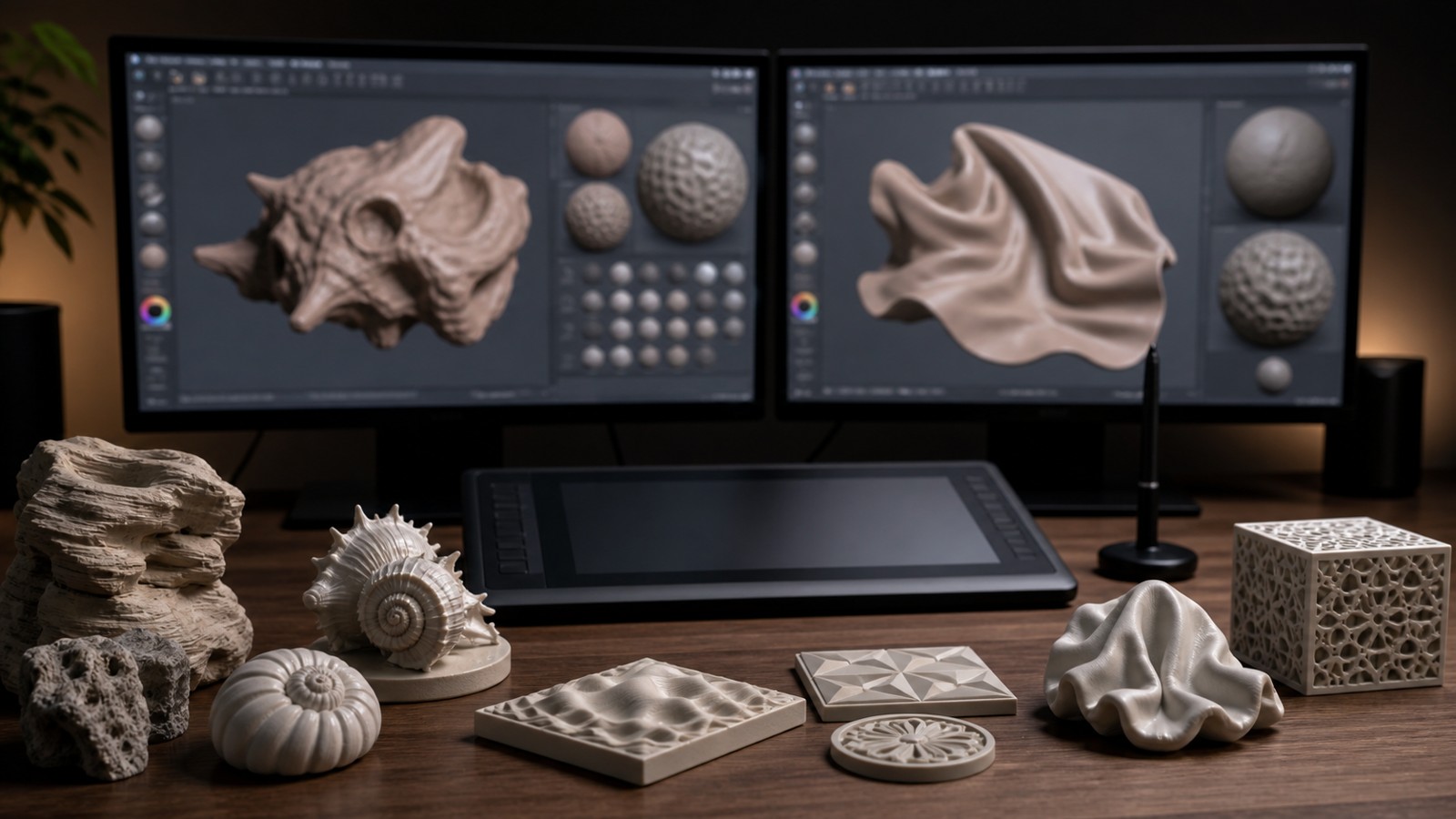
3D sculpting software is different from general CAD software. It is built for organic forms, character details, creatures, miniatures, props, statues, and textured surfaces. For 3D printing, the best sculpting tool is not just the one with the most brushes. It must also help you create watertight geometry, manage polygon density, scale the model, hollow or split parts, and export reliable files.
A: Match the model, material, settings, and finish plan to the purpose of the print.
A: Bed leveling, surface cleanliness, nozzle height, temperature, and material condition are the usual suspects.
A: No. Slower speeds can improve detail, but heat buildup and profile balance still matter.
A: Use the right material, more walls, smart orientation, enough infill, and realistic load testing.
A: Temperature, retraction, travel moves, moisture, and material type all contribute.
A: Diagnose poor first layers, weak parts, stringing, warping, and rough surfaces before buying parts.
A: Very important; it shows toolpaths, supports, layer changes, and possible weak spots before printing.
A: First layers, simple calibration prints, support cleanup, and basic material profiles.
A: Clean orientation, tuned settings, good material handling, and careful support removal, sanding, painting, fitting, and practical testing.
A: It is most useful for makers who want cleaner prints and fewer wasted attempts.
What Sculpting Software Needs to Do for 3D Printing
3D sculpting software is different from general CAD software. It is built for organic forms, character details, creatures, miniatures, props, statues, and textured surfaces. For 3D printing, the best sculpting tool is not just the one with the most brushes. It must also help you create watertight geometry, manage polygon density, scale the model, hollow or split parts, and export reliable files.
A beautiful sculpt can still be a poor print file. Thin fingers, unsupported hair strands, fragile weapons, open meshes, non-manifold edges, and oversized polygon counts can all cause trouble in slicing or printing. The right software depends on whether you need professional sculpting depth, beginner-friendly controls, parametric accuracy, or fast cleanup before export.
Blender
Blender is the strongest free option for many 3D printing artists because it combines sculpting, modeling, retopology, modifiers, UV tools, rendering, and export in one package. Its sculpt mode can handle miniatures, character concepts, terrain, props, and stylized objects, while modifiers help mirror, smooth, remesh, decimate, and solidify shapes.
For printing, Blender’s learning curve is the main tradeoff. Beginners need to understand scale, mesh cleanup, normals, wall thickness, and STL or 3MF export. Once those basics are in place, Blender is unusually flexible. It is a practical choice for hobbyists who want room to grow without immediately buying commercial sculpting software.
ZBrush
ZBrush is a professional sculpting standard for high-detail characters, collectibles, creatures, and production art. It excels at dense organic sculpting, fine surface detail, custom brushes, posing, subdivision workflows, and artistic control. For studios or serious miniature artists, it remains one of the most capable sculpting environments available.
The tradeoff is cost and workflow complexity. ZBrush is powerful, but it may be more than a casual user needs for simple print projects. It also requires attention to decimation, watertight exports, scale, and print-readiness checks before sending a model to a slicer. It shines when the sculpt itself is the main creative work.
Nomad Sculpt
Nomad Sculpt is a strong option for tablet-based sculpting. It is approachable, tactile, and fast for concepting miniatures, busts, creatures, and decorative parts. Artists who prefer working with a stylus may find it easier to start in Nomad than in a full desktop package.
For 3D printing, Nomad works best when paired with a cleanup workflow. The sculpt can be exported and then checked in Blender, Meshmixer-style repair tools, or a slicer. It is especially useful for early shape development, but critical dimensions, hollowing, cuts, and assembly features may need another tool.
Fusion, SolidWorks, and CAD Pairings
Sculpting software is not always enough by itself. If the printed object includes hinges, threads, snap-fits, exact holes, or mating mechanical parts, a CAD tool such as Fusion or SolidWorks may be a better partner. Sculpting tools handle the organic surface; CAD handles the dimensions and assembly logic.
A common workflow is to sculpt the character or decorative shell, then build bases, sockets, magnets, pins, or mounting features in CAD. This prevents a detailed organic model from being ruined by imprecise mechanical features. It also makes the final print easier to assemble and repair.
Miniatures and Collectibles
Miniature sculpting needs special attention to scale. A sword that looks elegant at 150 mm tall may become too thin at 28 mm tabletop scale. Raised details need enough height to survive printing, priming, and painting. Fingers, horns, antennae, and straps often need to be exaggerated slightly for reliable small-scale prints.
For resin miniatures, orientation and supports matter as much as sculpt quality. A model with many delicate overhangs may need to be split into parts or posed differently. Software that makes cutting, keying, hollowing, and decimation manageable can save hours during preparation.
Print-Readiness Features to Compare
When comparing sculpting tools, look beyond brush feel. Check whether the software supports remeshing, decimation, thickness tools, boolean cuts, measurement, STL or 3MF export, mesh repair, and clean scale control. A tool that sculpts beautifully but exports unreliable geometry can slow down the entire print process.
For a 75 mm bust, dense detail may be useful, but the final export still needs to slice efficiently. For a 28 mm miniature, silhouette and durable details matter more than microscopic pores. For a 150 mm display statue, hollowing, drain holes, and part splits may become the most important practical features.
Which Tool Should You Choose
Choose Blender if you want the best free all-around path and are willing to learn. Choose ZBrush if sculpting quality, professional brushes, and dense organic detail are the priority. Choose Nomad Sculpt if you want a portable tablet workflow for fast creative modeling. Pair sculpting software with CAD when the print has functional dimensions.
The best software is the one that fits your project pipeline. A beginner making tabletop miniatures may start with Nomad or Blender. A product designer adding an ergonomic grip may combine Blender with Fusion. A professional collectible sculptor may prefer ZBrush and then use repair or slicing tools for print preparation.
FAQ
Is Blender good enough for 3D printing sculpted models?
Yes. Blender can create excellent printable sculpts, but users need to learn scale, mesh cleanup, normals, export settings, and print-readiness checks.
Is ZBrush better than Blender for 3D printing?
ZBrush is stronger for high-end sculpting workflows, while Blender is free and broader. The better choice depends on budget, detail needs, and how much cleanup the workflow requires.
Do sculpted models need to be hollowed?
Large resin prints often benefit from hollowing and drain holes, while small miniatures may print solid. The decision depends on process, size, material use, and support strategy.