Entering the World of Digital Creation
3D modeling has evolved from a niche professional skill into an accessible creative tool used by hobbyists, students, engineers, and artists around the world. From designing game characters and architectural concepts to creating printable objects and product prototypes, 3D modeling opens the door to an entirely new way of visualizing ideas. For beginners, the journey starts with choosing the right software. The best 3D modeling software for beginners makes the learning process approachable, engaging, and rewarding without overwhelming new users. Modern tools are more intuitive than ever. Many platforms offer beginner-friendly interfaces, guided tutorials, and strong community support that allow newcomers to learn quickly. The key is finding software that balances simplicity with long-term potential. Beginners need something easy to understand today, but powerful enough to grow with them tomorrow. This guide explores the most popular and effective 3D modeling software options for beginners, highlighting what makes them approachable and how they support different creative paths. Whether you’re interested in 3D printing, game design, product visualization, or just exploring a new creative hobby, there’s a tool designed to help you get started with confidence.
A: Match the model, material, settings, and finish plan to the purpose of the print.
A: Bed leveling, surface cleanliness, nozzle height, temperature, and material condition are the usual suspects.
A: No. Slower speeds can improve detail, but heat buildup and profile balance still matter.
A: Use the right material, more walls, smart orientation, enough infill, and realistic load testing.
A: Temperature, retraction, travel moves, moisture, and material type all contribute.
A: Diagnose thin walls, unsupported features, tight fits, bad meshes, and weak load paths before buying parts.
A: Very important; it shows toolpaths, supports, layer changes, and possible weak spots before printing.
A: First layers, simple calibration prints, support cleanup, and basic material profiles.
A: Clean orientation, tuned settings, good material handling, and careful test fits, inserts, sanding, assembly, and revision notes.
A: It is most useful for makers designing parts that need to fit, move, or survive use.
Why the Right Software Matters for Beginners
Starting with the right software can dramatically shape a beginner’s experience. An overly complex interface can feel intimidating, while an overly simple tool might limit creativity. The ideal beginner platform should introduce core concepts without burying users in technical complexity.
The most beginner-friendly 3D modeling programs emphasize visual feedback, intuitive controls, and guided learning experiences. They allow new users to experiment freely and understand the fundamentals of shapes, movement, lighting, and spatial relationships. When the learning process feels natural, motivation stays high and skills develop faster.
Choosing the right tool also helps beginners build confidence. When early projects turn out well, it reinforces curiosity and encourages continued learning. This early momentum is often the difference between someone giving up and someone continuing to explore the world of digital design.
Blender: A Powerful Free Starting Point
Blender has become one of the most widely recommended 3D modeling platforms for beginners, and for good reason. It’s free, open-source, and incredibly capable. While it may look complex at first glance, Blender offers a structured learning path supported by thousands of tutorials and a massive online community.
What makes Blender stand out is its versatility. It can be used for modeling, sculpting, animation, rendering, and even video editing. For beginners, this means they can explore multiple creative directions without switching software. As skills grow, Blender continues to offer advanced tools that support professional-level work. The interface can feel overwhelming initially, but many beginners find that once they learn the basics, the platform becomes surprisingly intuitive. Blender teaches essential 3D concepts that translate well to other software, making it an excellent foundation for long-term learning.
Tinkercad: The Easiest Way to Begin
For absolute beginners, Tinkercad offers one of the simplest introductions to 3D modeling. Designed with accessibility in mind, it uses a drag-and-drop approach that makes creating shapes feel more like assembling building blocks than learning complex software.
Tinkercad is particularly popular among students, hobbyists, and those interested in 3D printing. Its browser-based platform eliminates the need for installation, and its visual tools make it easy to understand how objects interact in three-dimensional space.
While it may not have the advanced capabilities of professional tools, it excels at teaching core concepts. Beginners quickly learn how shapes combine, how scaling works, and how objects can be modified to create original designs. This early success builds confidence and helps users transition into more advanced programs later.
SketchUp: A Gentle Introduction to Design Thinking
SketchUp is another popular beginner-friendly option, especially for those interested in architecture, interior design, and product concepts. Its clean interface and straightforward tools make it easy to start creating structures and layouts almost immediately.
One of SketchUp’s strengths is its focus on real-world design. Users can quickly build rooms, furniture, and environments using simple geometry. This makes it especially appealing for people who want to visualize spaces or create practical models rather than abstract art. The learning curve is gentle, and the experience feels approachable. Many beginners appreciate how quickly they can produce recognizable results, which keeps motivation high. As skills grow, SketchUp offers more advanced features that support detailed modeling and professional workflows.
Fusion 360: Bridging Creativity and Engineering
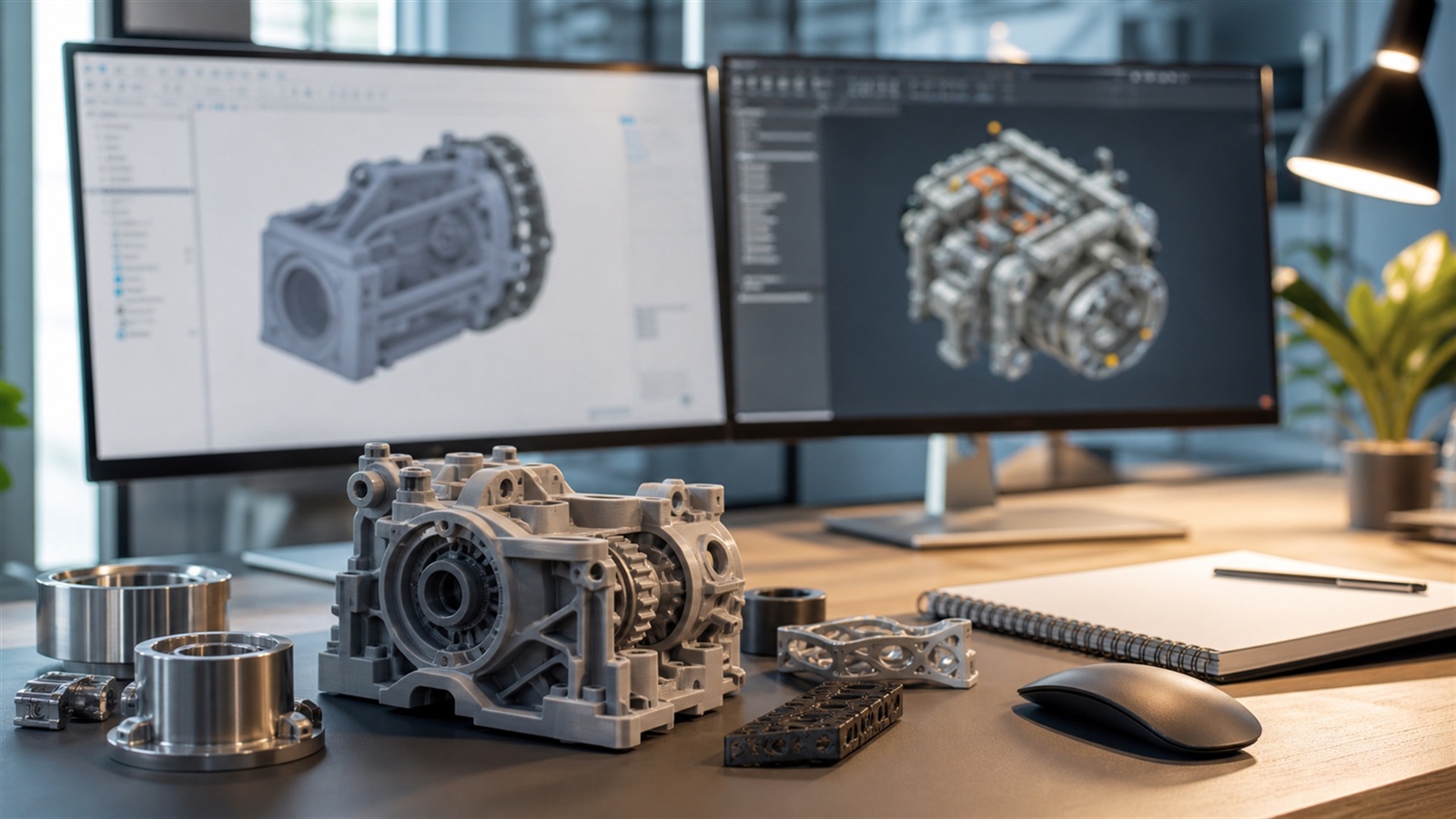
Fusion 360 is an excellent beginner option for those interested in product design, mechanical engineering, and 3D printing. It combines parametric modeling with intuitive controls, making it ideal for creating precise, functional designs.
Beginners often appreciate how Fusion 360 encourages logical thinking. Instead of sculpting shapes freely, users learn to build models using structured steps. This approach helps develop an understanding of how real-world objects are constructed and modified.
Although it is more technical than some beginner tools, its structured design environment can be very rewarding. It teaches foundational skills that are valuable in professional fields and helps beginners create models that are both visually appealing and functional.
ZBrushCore: A Creative Path into Sculpting
For those drawn to artistic expression, ZBrushCore offers a beginner-friendly introduction to digital sculpting. Instead of building objects from geometric shapes, users shape models as if working with clay.
This tactile approach feels natural to many beginners, especially artists and illustrators. It allows for expressive creativity and organic forms, making it ideal for character design, creature creation, and artistic exploration. Sculpting software introduces a different perspective on 3D modeling. It focuses less on precision and more on form and creativity. Beginners who start with sculpting often find it easier to develop a strong visual sense of shape and proportion.
Learning Through Exploration and Experimentation
One of the most exciting aspects of starting with 3D modeling software is the freedom to explore. Beginners often learn best by experimenting, trying new tools, and watching their ideas come to life on screen.
Every project teaches something new. Creating a simple object introduces scale and proportion. Adjusting shapes reveals how geometry works. Adding textures introduces realism. Each step builds a deeper understanding of the digital design process.
Over time, beginners begin to see patterns and recognize techniques. They start to think in three dimensions, visualize solutions, and approach projects with confidence. This transformation from curiosity to skill is one of the most rewarding parts of learning 3D modeling.
The Role of Tutorials and Communities
Beginner success often depends on access to strong learning resources. Fortunately, the 3D modeling world is filled with tutorials, forums, and creative communities. These resources provide guidance, inspiration, and support during the learning journey.
Video tutorials can walk beginners through step-by-step projects, while online forums allow users to ask questions and share progress. Seeing what others create can be incredibly motivating and helps beginners understand what is possible. Communities also help reduce frustration. When beginners encounter challenges, they can find solutions quickly and continue learning. This sense of connection makes the experience more enjoyable and encourages consistent progress.
Choosing the Best Tool for Your Goals
There is no single “best” 3D modeling software for everyone. The right choice depends on what you want to create. Some tools are better suited for artistic projects, while others excel in engineering, architecture, or product design.
Beginners should consider their interests. If you enjoy creative storytelling, sculpting software may be the best path. If you want to design real-world objects, parametric tools might feel more natural. If you’re exploring 3D printing, beginner-friendly design platforms can help you get started quickly.
The good news is that many beginners try multiple tools before settling on their favorite. Each platform teaches new skills and perspectives. Over time, users develop a deeper understanding of which workflows feel most comfortable.
Building Skills That Last
Learning 3D modeling is about more than mastering software. It’s about developing spatial awareness, creativity, and problem-solving skills. These abilities transfer across tools and industries, making them valuable long-term investments.
As beginners gain experience, they begin to see how different tools connect. Concepts learned in one program apply to another. This makes it easier to expand into new areas, from animation to game development to product design. The journey often starts with simple shapes and evolves into complex creations. With patience and practice, beginners can build impressive skills that open doors to new creative and professional opportunities.
The Future of Beginner-Friendly 3D Modeling
The future of 3D modeling software is becoming increasingly accessible. Advances in user interface design, cloud computing, and AI-assisted tools are making it easier than ever for beginners to start creating.
New tools are reducing technical barriers and focusing more on creativity. This means that beginners can spend less time learning complicated systems and more time bringing their ideas to life.
As technology continues to evolve, 3D modeling is likely to become even more integrated into education, entertainment, and design. For beginners, this creates exciting opportunities to learn skills that are both creative and practical.
A Creative Skill Worth Learning
Starting with 3D modeling software is like opening the door to a new creative dimension. Whether you dream of designing characters, building products, or simply experimenting with shapes and ideas, there is a beginner-friendly tool waiting to help you get started.
The best software is the one that inspires you to keep learning. When the experience feels exciting and rewarding, progress comes naturally. Over time, those first simple models turn into more complex and meaningful creations. For beginners, the most important step is simply starting. Choose a tool, explore its features, and allow curiosity to guide you. With patience and creativity, 3D modeling can become one of the most engaging and fulfilling skills you ever learn.
Research-Backed Context
Software choice depends on what has to be modeled. Organic characters, mechanical brackets, architectural forms, game assets, scanned meshes, and production assemblies all need different strengths from CAD or modeling tools.
Practical Decision Checks
- Decide whether the work needs parametric dimensions, sculpting, mesh cleanup, assemblies, rendering, or animation.
- Check export quality, units, wall thickness tools, mesh repair, and slicer compatibility.
- Keep editable source files so the model can be revised after a test print.
- Use a small calibration print to verify scale and clearances before committing to a complex model.
FAQ
Is free 3D modeling software good enough?
Yes for many projects, but the right free tool depends on whether the work is mechanical CAD, sculpting, mesh editing, architecture, or game asset creation.
What matters most for 3D printing?
Units, scale, wall thickness, manifold geometry, clean exports, and editable dimensions matter more than visual polish alone.
When should professionals pay for software?
Paid tools make more sense when collaboration, assemblies, technical drawings, simulation, licensing, or production documentation saves time.
Sources and Further Reading
These references support the technical terms, material guidance, process limits, and decision criteria used in this article.