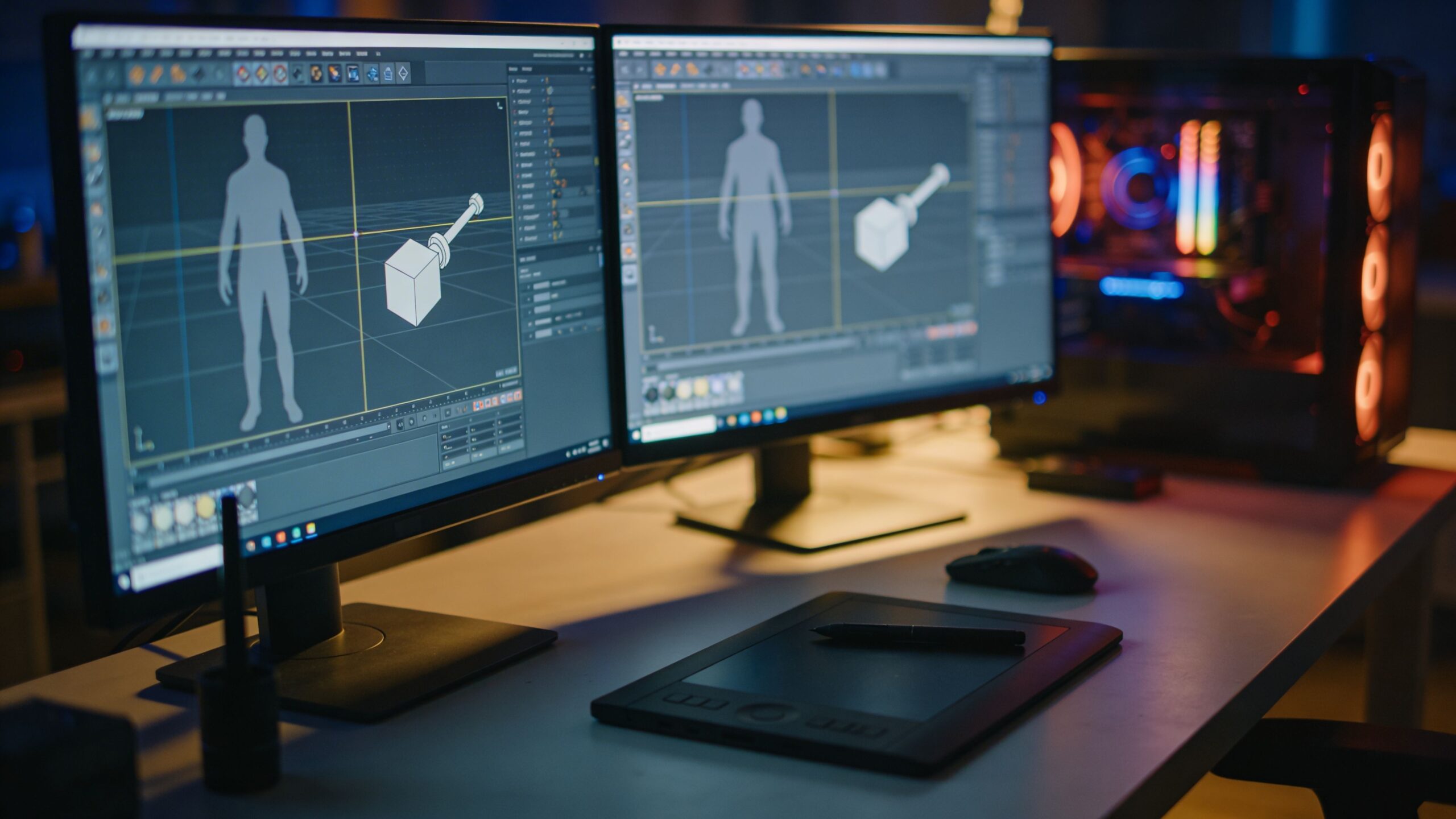
Character design is the art of building a believable person—realistic or stylized—out of nothing but shape, rhythm, and intent. A great character model isn’t just “detailed.” It has a readable silhouette at a glance, anatomy that supports motion, and surface cues that suggest story: a scar that changes the expression, fabric folds that imply weight, or a face that can emote without collapsing. The best 3D modeling software for character design helps you move through all of those phases without fighting the tool: blocking forms quickly, sculpting nuance, rebuilding clean topology, and preparing a model that can animate, render, or even become a physical print. Modern character pipelines are also more flexible than ever. Some artists start in polygons to lock in proportion, then sculpt. Others sculpt immediately and retopologize later. Some treat 3D as a final output for games and film, while others use it as a bridge to 3D printing, collectibles, or rapid prototyping. The “best” software depends on what you’re making, how you like to work, and what your finish line looks like.
A: Match the model, material, settings, and finish plan to the purpose of the print.
A: Bed leveling, surface cleanliness, nozzle height, temperature, and material condition are the usual suspects.
A: No. Slower speeds can improve detail, but heat buildup and profile balance still matter.
A: Use the right material, more walls, smart orientation, enough infill, and realistic load testing.
A: Temperature, retraction, travel moves, moisture, and material type all contribute.
A: Diagnose thin walls, unsupported features, tight fits, bad meshes, and weak load paths before buying parts.
A: Very important; it shows toolpaths, supports, layer changes, and possible weak spots before printing.
A: First layers, simple calibration prints, support cleanup, and basic material profiles.
A: Clean orientation, tuned settings, good material handling, and careful test fits, inserts, sanding, assembly, and revision notes.
A: It is most useful for makers designing parts that need to fit, move, or survive use.
What matters most in character design software
A character tool can be “powerful” and still feel wrong for the way you think. For sculptors, brush feel, symmetry options, masking, and subdivision control are everything. For production modelers, topology tools, edge flow control, and UV workflows can matter more than sculpt brushes. For animation, you’ll care about rigging systems, skinning tools, pose libraries, and stable deformation. For 3D printing, watertight meshes, thickness checks, and clean surface continuity rise to the top.
Performance matters too. Characters get heavy fast—high subdivision sculpting, dense hair cards, and layered clothing can bring weaker systems to their knees. A smooth viewport and predictable behavior reduce mental friction and keep you in a creative flow. Community and learning resources also count. A tool is easier to master when there’s a deep ecosystem of tutorials, brushes, add-ons, and troubleshooting help.
ZBrush: the sculpting king for detail and speed
If your character work leans into sculpting, ZBrush remains the gold standard for raw sculpt power. It excels at creating organic forms quickly, pushing and pulling shapes without worrying about perfect topology early on. Its brush system is famously deep, and the way it handles subdivision and detailing makes it ideal for creature work, stylized faces, and anything that needs a “hand-sculpted” feel. ZBrush shines when you’re iterating. You can rough in a head, explore variations, and refine into high-frequency detail in a way that feels like real clay—just without the cleanup. It’s also strong for hard-surface accents on characters, like armor panels, mechanical limbs, or ornate jewelry, especially when you combine sculpt tools with masking, polygroups, and boolean workflows. For many artists, ZBrush is the place where the character becomes alive, even if other steps happen elsewhere.
Blender: the best all-in-one value for character pipelines
Blender is the Swiss Army knife of character creation. It’s capable across modeling, sculpting, retopology, UVs, rigging, animation, and rendering, making it especially attractive if you want one tool that can carry a character from blank scene to final image. For budget-minded creators, it’s a standout choice because it removes the “subscription gate” while still offering professional-grade results.
For character design specifically, Blender’s sculpting has improved dramatically, and its modeling tools are excellent for clean topology, clothing construction, and accessories. Rigging and animation tools are robust enough for serious work, and the ecosystem of add-ons can turbocharge common tasks like retopology, UV packing, and procedural texturing. Blender is also a favorite in indie game pipelines because it can export efficiently and handle game-friendly workflows without a lot of translation pain.
Autodesk Maya: the animation-friendly standard for production
Maya has long been associated with animation pipelines, and for character work that’s not an accident. If your end goal is rigging, skinning, and animating characters—especially in a studio environment—Maya’s toolset and pipeline compatibility make it a strong contender. It’s built for predictable deformation, robust rigging systems, and scalable production workflows. For character modeling, Maya is excellent for clean topology and edge flow, which is critical if the character will move and emote. Facial rigs, joint systems, and animation tools are deeply integrated. Even if you sculpt elsewhere, many artists return to Maya for retopo, rigging, and final animation prep. It’s also widely used in larger teams, where compatibility, naming conventions, and pipeline tooling can matter as much as the art itself.
Cinema 4D: a friendly option for stylized characters and motion work
Cinema 4D isn’t the first tool people mention for character sculpting, but it can be a great choice for stylized characters, branding mascots, and motion-heavy projects. Its interface is famously approachable, and its strength in motion graphics can be a big advantage if your characters will live in ads, explainer videos, or social content.
For character design, Cinema 4D works best when your models are clean, readable, and built with a graphic sensibility. Its modeling workflow is efficient for stylized forms, and its animation tools can cover a lot of ground for short-form projects. If you’re a designer stepping into 3D character work from the motion world, this tool can feel like a natural bridge.
3ds Max: strong modeling roots with character workflow options
3ds Max is often praised for its modeling toolset and is still used heavily in certain industries, especially games and visualization. For character design, it can be an effective modeling and retopo tool, particularly if you’re already comfortable with its workflow and you’re building game-ready characters that need clean topology and organized scene management. While sculpting typically happens elsewhere, Max can play a central role in building the final character body, clothing pieces, and props with strong control over edge loops and form. It’s also known for its flexibility through plugins and scripts, which can help tailor workflows to a team’s preferences. If your environment is Max-heavy already, it can absolutely be a serious character tool, especially paired with a sculpting specialist.
Substance 3D Modeler and the rise of “sculpting in space”
Some character designers are moving toward more experimental workflows, including VR-assisted sculpting and spatial modeling. Tools like Substance 3D Modeler support a different kind of creativity—one that feels closer to sketching and blocking forms in physical space. This can be especially useful in early concept stages, where gesture, silhouette, and broad massing are more important than topology.
This approach won’t replace traditional tools for final production, but it can speed up ideation and create surprisingly strong starting points for stylized characters. When combined with retopology and finishing tools, spatial sculpting can become a powerful part of a modern character pipeline, especially for teams that value rapid exploration.
Nomad Sculpt: a serious character sculpting option on iPad
Nomad Sculpt has earned a reputation as more than a toy. For character designers who like to sketch and sculpt away from a desk, it offers a surprisingly capable sculpt workflow on a tablet. It’s especially good for stylized characters and early-stage forms, where you want to explore quickly and keep the process playful. While you may still finish in a desktop tool for heavy retopo, UVs, and rigging, Nomad can be a strong “first draft” environment. Many artists use it to block a head or creature, experiment with silhouettes, then export into a full pipeline tool for refinement. If mobility matters, this can be a game changer.
How to choose the right tool for your character style
If you’re building realistic creatures and film-level detail, prioritize sculpting depth and stability under heavy geometry. That points you toward sculpt-first tools and a pipeline that supports high-resolution displacement. If you’re building game characters, clean topology, UV efficiency, and export reliability matter more than pushing micro-detail everywhere. That pushes you toward strong modeling and retopo workflows paired with smart baking.
Stylized characters sit in the middle. You might sculpt expressive faces and forms, but you also need clean, animation-friendly meshes. In that case, a hybrid workflow—sculpt for shape, retopo for control—often feels best. Consider how you learn, too. Some tools feel like instruments you practice; others feel like workplaces you organize. Pick the one you’ll actually open every day.
The real “best” workflow is often a hybrid pipeline
A common professional pipeline is sculpting in a specialized sculpt tool, then retopologizing and assembling in a full DCC suite, then texturing in a dedicated texturing tool, and finally rendering or exporting to a target engine. That may sound complex, but it can be faster and cleaner than forcing one application to do everything. Hybrid pipelines also reduce frustration. Sculpt tools are optimized for speed and expression. Production suites are optimized for structure and rigging. Texturing tools are optimized for materials and baking. When each tool does what it’s best at, the character you imagined arrives with less compromise.
Tips for getting better results no matter what software you choose
The software matters less than the habits you build inside it. Reference is a superpower: anatomy, facial planes, gesture, costume construction, and material behavior all improve when you’re looking at the real world. Work from big to small and don’t chase pores before your silhouette is strong. Learn a simple retopo method you can repeat, because great characters are almost always the result of a repeatable process, not a lucky sculpt.
Also, build a pipeline that matches your output. If you’re printing characters, learn watertight mesh checks and thickness control. If you’re animating, test deformations early and often. If you’re doing still renders, spend time on lighting and material presentation. The “best software” is the one that supports the end result you care about.
Research-Backed Context
Software choice depends on what has to be modeled. Organic characters, mechanical brackets, architectural forms, game assets, scanned meshes, and production assemblies all need different strengths from CAD or modeling tools.
Practical Decision Checks
- Decide whether the work needs parametric dimensions, sculpting, mesh cleanup, assemblies, rendering, or animation.
- Check export quality, units, wall thickness tools, mesh repair, and slicer compatibility.
- Keep editable source files so the model can be revised after a test print.
- Use a small calibration print to verify scale and clearances before committing to a complex model.
FAQ
Is free 3D modeling software good enough?
Yes for many projects, but the right free tool depends on whether the work is mechanical CAD, sculpting, mesh editing, architecture, or game asset creation.
What matters most for 3D printing?
Units, scale, wall thickness, manifold geometry, clean exports, and editable dimensions matter more than visual polish alone.
When should professionals pay for software?
Paid tools make more sense when collaboration, assemblies, technical drawings, simulation, licensing, or production documentation saves time.
Concrete Character Design Examples
For character design, the software choice becomes clearer when it is tied to a real output. A stylized resin figurine needs clean sculpted forms, controlled surface detail, hollowing, support planning, and a watertight mesh. A tabletop miniature needs readable silhouettes, durable weapons or horns, printable bases, and exaggerated details that survive at small scale. A cosplay mask or helmet needs accurate scale, split parts, alignment keys, sanding room, and enough wall thickness for handling.
A game character bust creates a different workflow. Blender can handle sculpting, retopology, pose blocking, and export cleanup in one free tool, while Maya is stronger when the same character needs professional rigging, animation, and studio pipeline handoff. For print-focused work, the final checkpoint is not only whether the model looks good on screen. The mesh has to slice correctly, stand on the build plate, support safely, and survive post-processing without losing the character’s most recognizable shapes.
- Tabletop miniature: test silhouette, base size, weapon thickness, and resin support scars.
- Action figure prototype: check joints, sockets, tolerances, orientation, and assembly clearance.
- Cosplay helmet: verify scale, wall thickness, split seams, sanding allowance, and material choice.
- Display bust: check hollowing, drain holes, support placement, and surface cleanup.
Print-Ready Character Model Checklist
For a character design that will become a physical print, use numbers early. A 28 mm tabletop miniature needs exaggerated facial planes, thicker weapons, and readable clothing folds because tiny screen details disappear after priming and paint. A 150 mm display bust can hold finer hair, eyes, armor edges, and cloth texture, but it still needs support planning and clean mesh export. A cosplay helmet may need 2 mm to 4 mm walls, split seams, alignment keys, and test-fit rings before the full print.
Software matters because each tool handles these checkpoints differently. Blender is strong for sculpting, posing, decimation, and STL export. ZBrush is common for high-resolution sculpt detail before retopology or print prep. Fusion-style CAD tools are better for hard-surface props, brackets, armor plates, and mechanical enclosures. Maya is strongest when the character also needs rigging, animation, and studio pipeline handoff before a printable prototype is created.
- 28 mm miniature: check silhouette, weapon thickness, base size, and resin support marks.
- 75 mm figure: check hollowing, drain holes, balance, keyed joints, and surface detail.
- 150 mm bust: check hair strands, eye depth, armor edges, and post-processing access.
- Cosplay helmet: check 2 mm to 4 mm wall thickness, part splits, alignment tabs, and sanding allowance.
- Hard-surface prop: check tolerances, screw holes, inserts, seams, and material strength before printing.
Sources and Further Reading
These references support the technical terms, material guidance, process limits, and decision criteria used in this article.